Prayer Gatherings

Pray together on any screen.

One room for two friends, a small group, or a whole church. The bar never moves, the faces fill the screen, and the prayer request is always in view. Here is how it looks on a desktop and on a phone.

Walk through the live demo, desktop and phone side by side →

01Two in live prayer

Two people, one agenda, nothing in the way.

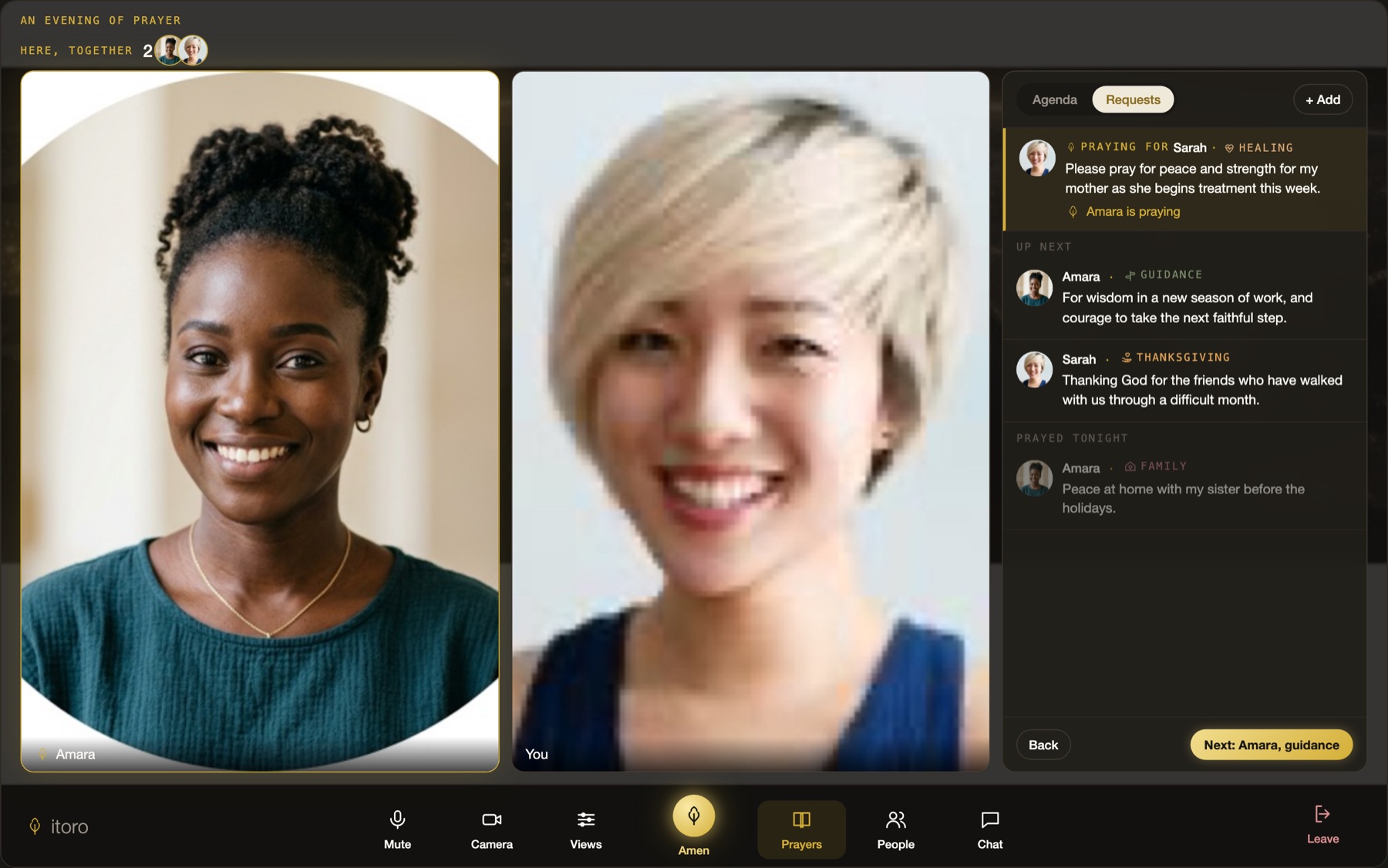
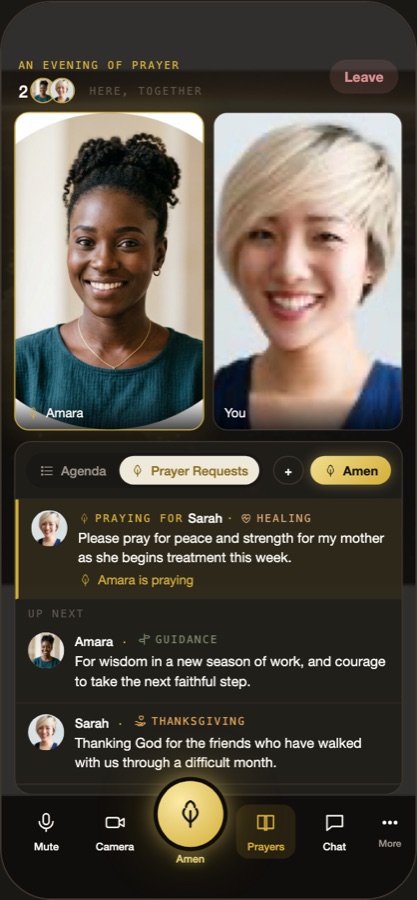
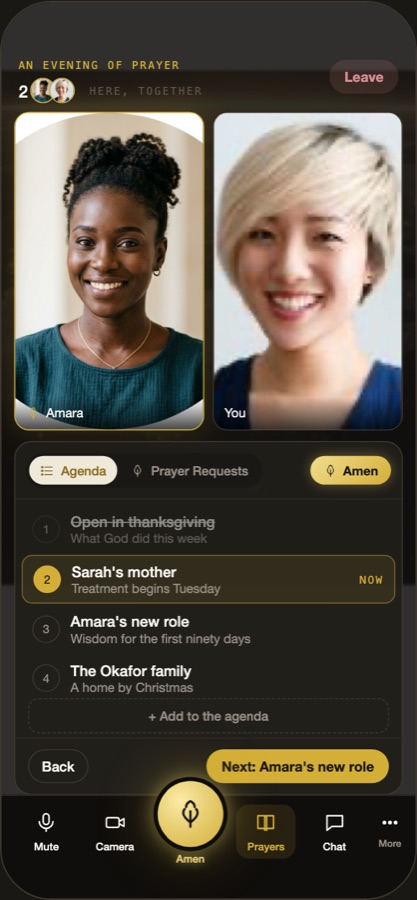
You see each other full screen. On the right, the things you came to pray about: a short agenda either of you can add to, or your open prayer requests. The one you are on is lit gold. Next moves you through the night together.
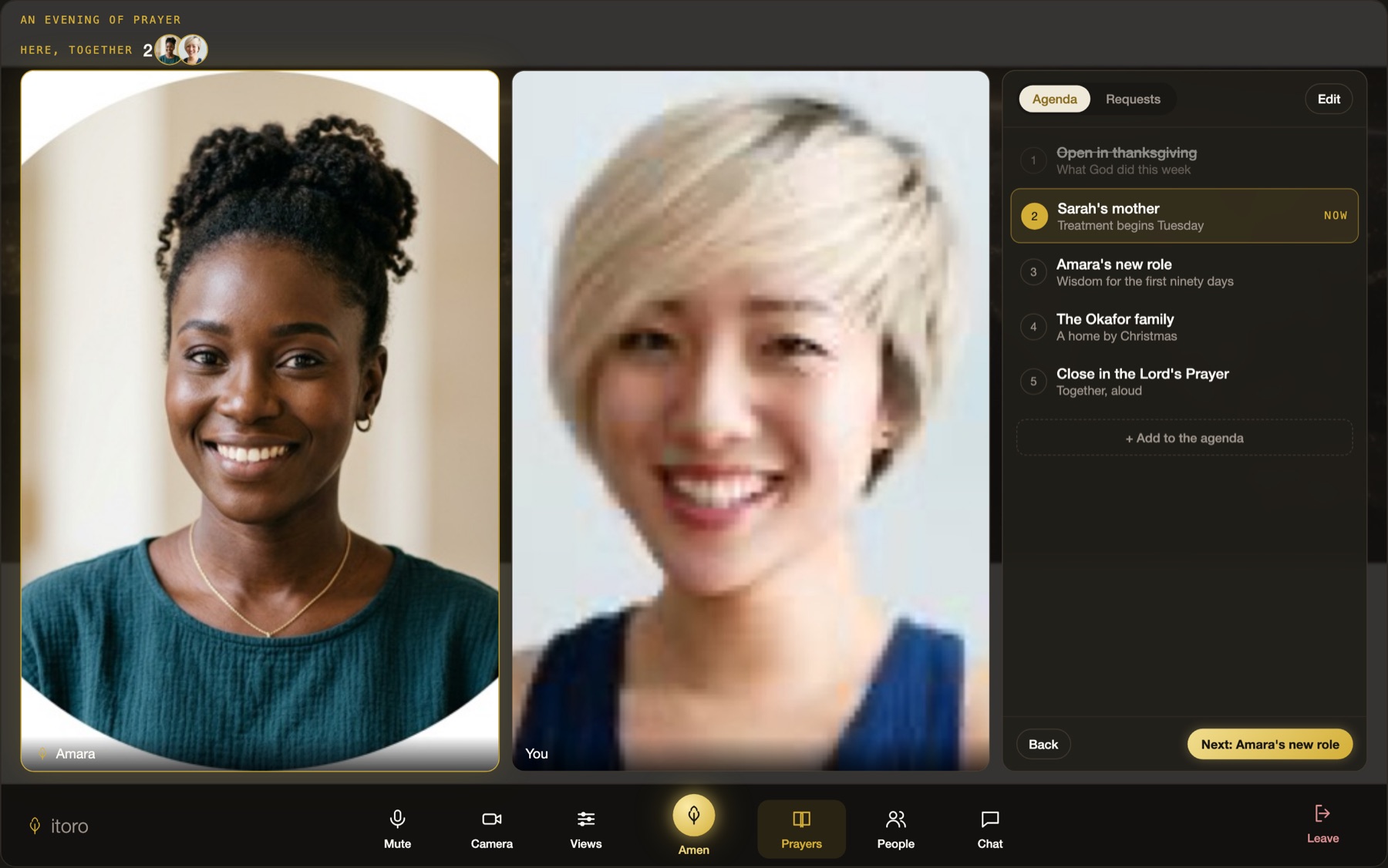
Desktop room with two faces side by side and an agenda in the right rail, item two lit gold and marked Now
Phone room with two faces on top and the agenda beneath, item two lit gold
The agenda in the rail. Item two is lit with "Now"; the first is struck through because it is done. Back and Next sit at the foot; Amen sits in the bar, raised and gold. The same agenda under the faces. Amen rises from the center of the bar; Leave sits top right.
Desktop room with two faces and the prayer requests list in the right rail
Phone room with two faces and the prayer requests list beneath
Switch the rail to Prayer Requests and your open requests are already there, each with its category icon, in your own words. Prayer Requests on the phone panel, the current one pinned with a gold rule.
02A gathering

A small group that can see who is praying.

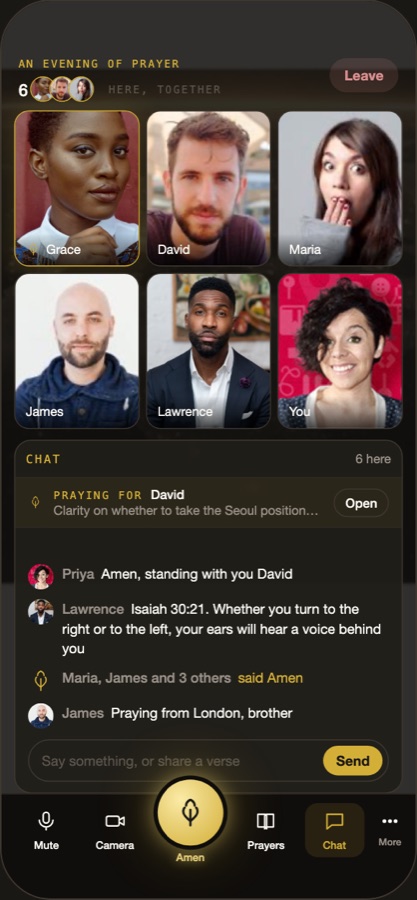
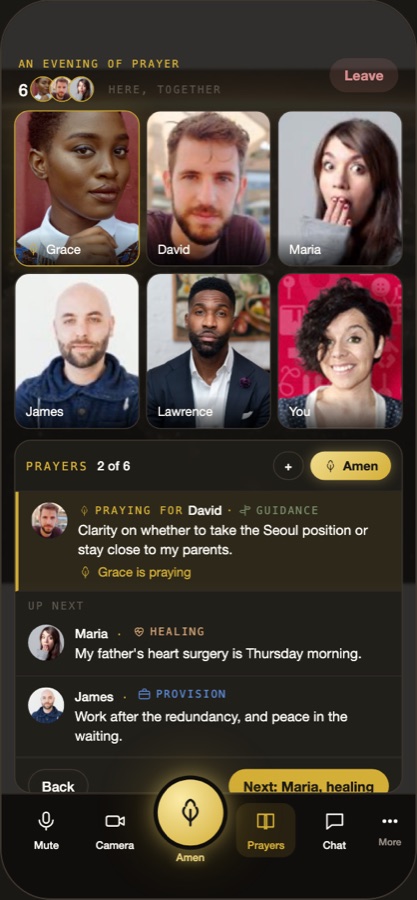
Three or more and the room becomes a gathering. Faces fill the left, and the person praying is ringed in gold. The rail holds the prayer queue above and the chat below, so you always know whose request you are on and who is up next. Amens gather into one gold line instead of a flood.
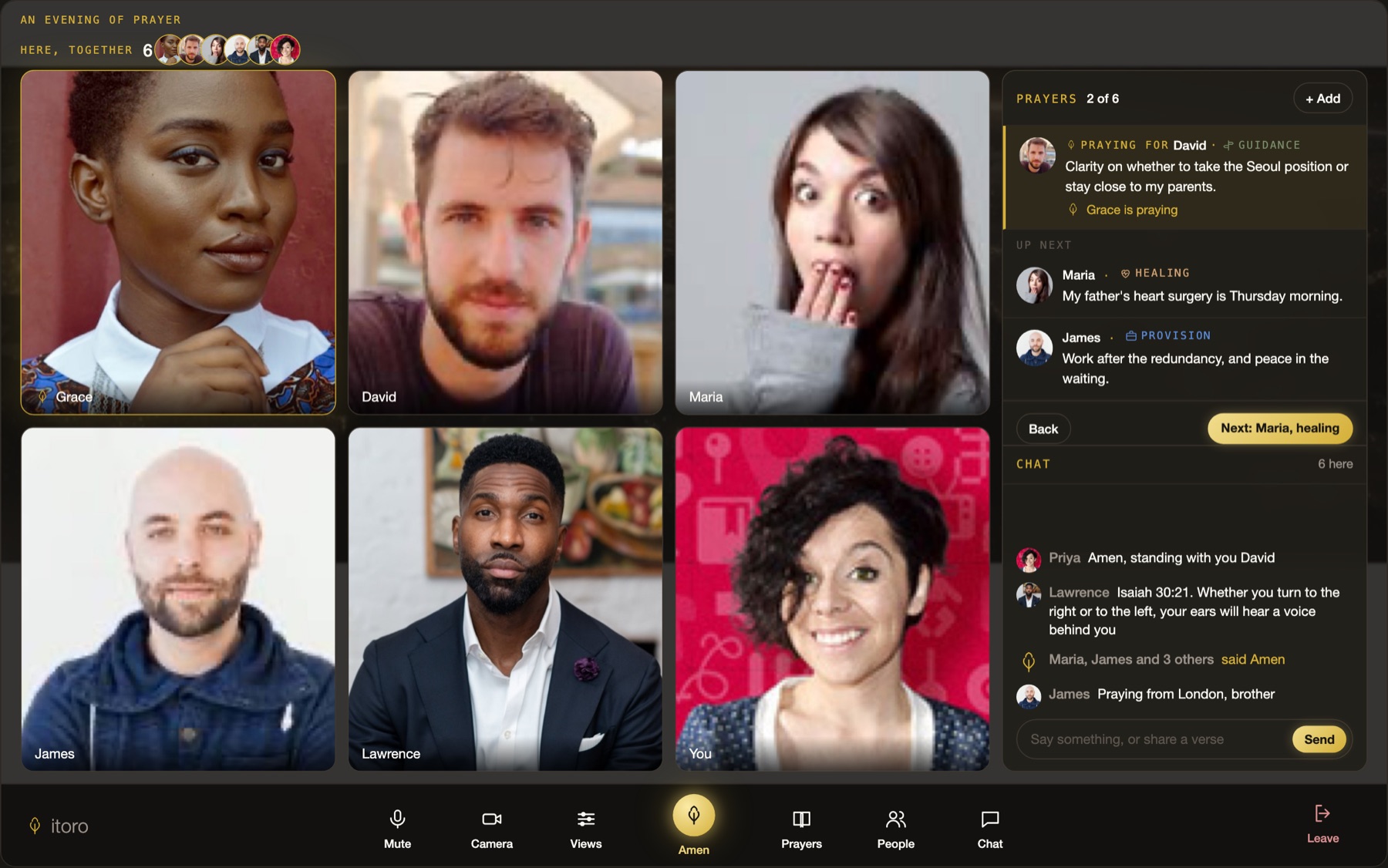
Desktop gathering with six faces, the prayer queue above the chat in the right rail
Phone gathering with six faces in two columns and the Prayers panel beneath
Six in the room. The queue reads "Praying for David", who is praying, and who is up next. Chat lives in the lower half of the rail with its composer. Faces in two columns on top, Prayers beneath: the current request pinned, up next under it, Back and Next at the foot.
Desktop gathering with the chat in the lower half of the right rail
Phone gathering with the Chat panel open beneath the faces, current prayer pinned above it
On desktop the chat is always open in the lower half of the rail, so this is the same frame as Prayers. "Maria, James and 3 others said Amen" is one line, not four.Desktop frame shared with Prayers Chat as a panel on the phone. The current prayer stays pinned above the messages so nobody loses the thread.
Desktop gathering, the chat composer at the foot of the rail
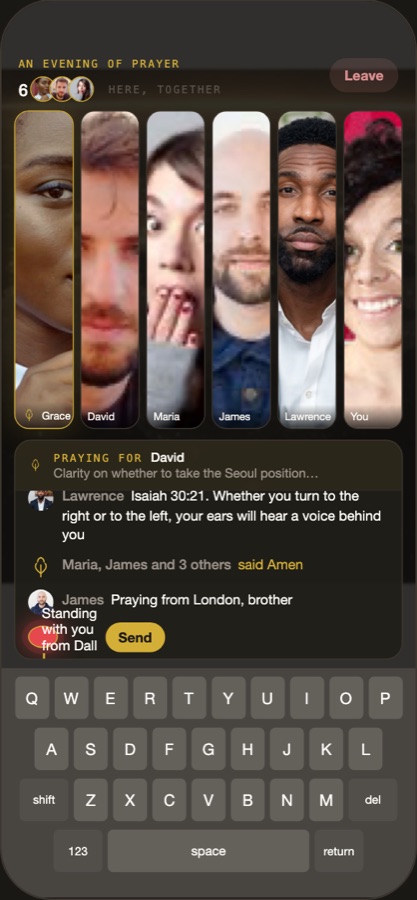
Phone gathering while typing: the faces shrink to a strip and the keyboard rises under the chat
Typing is a phone moment; on desktop the composer simply sits at the foot of the rail.Nearest desktop frame: the gathering room While you type, the faces drop to a 96 point strip so you still see the room. The bar stays where it was.
03Host tools

One palette. Everything a leader needs.

Hosts get a floating palette that drags anywhere and folds to a pill. From it you put a prayer request, a scripture, lyrics, or a shared screen in front of everyone, step through the prayers, spotlight someone, mute the room, or add a co-host. Everyone else sees only the result.
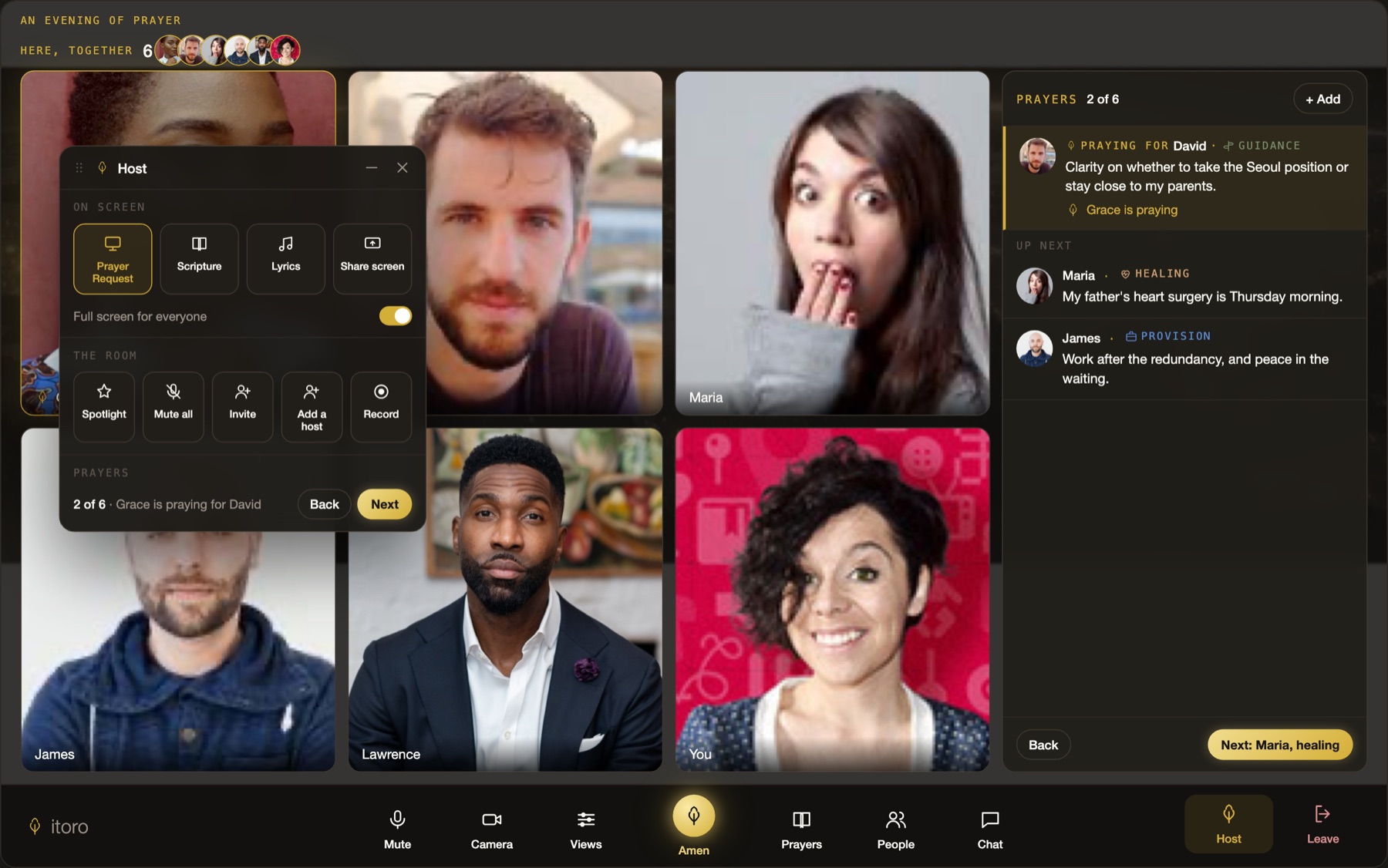
Desktop gathering with the floating Host palette open over the faces: On screen, The room, and Prayers groups
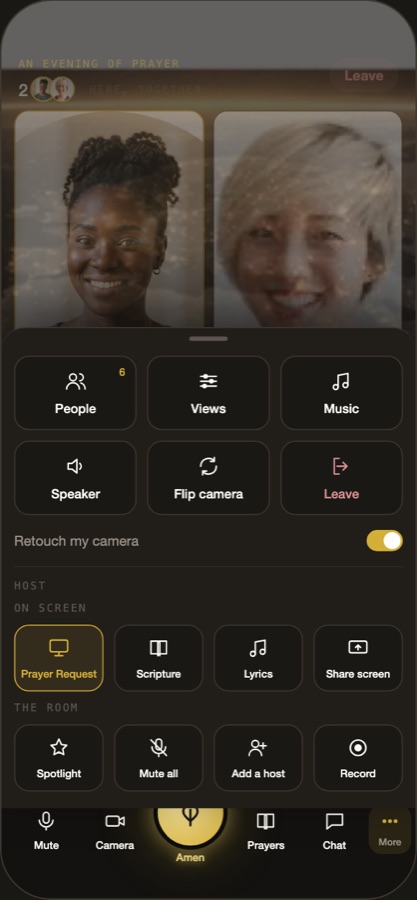
Phone More sheet with People, Views, Music, Speaker, Flip camera, Leave, the Retouch switch, and the Host rows
The Host palette: On screen (Prayer Request, Scripture, Lyrics, Share screen) with "Full screen for everyone", The room (Spotlight, Mute all, Invite, Add a host, Record), and the prayer counter with Back and Next. On the phone the same tools live under More as Host rows, beneath People, Views, Music and the Retouch switch.
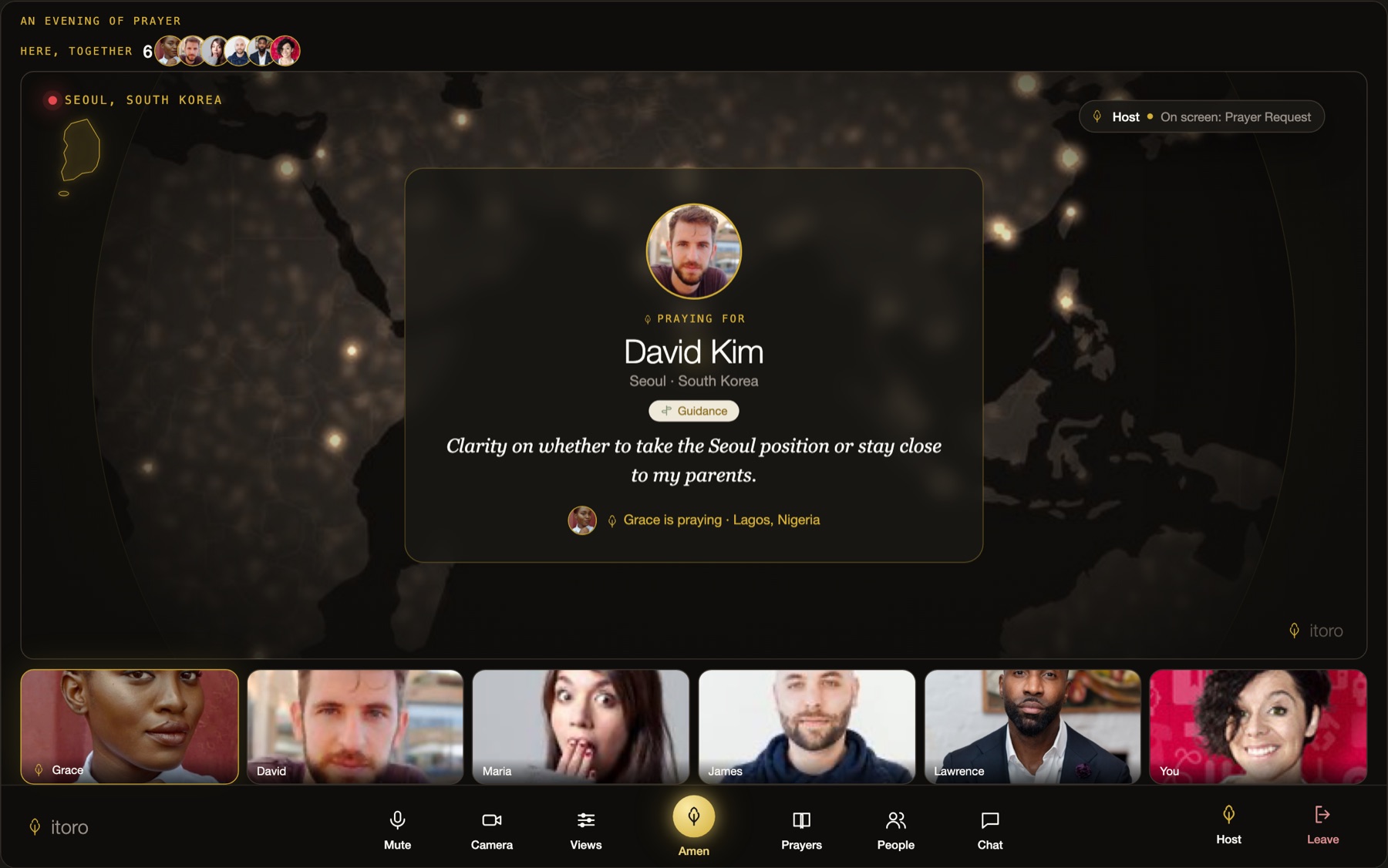
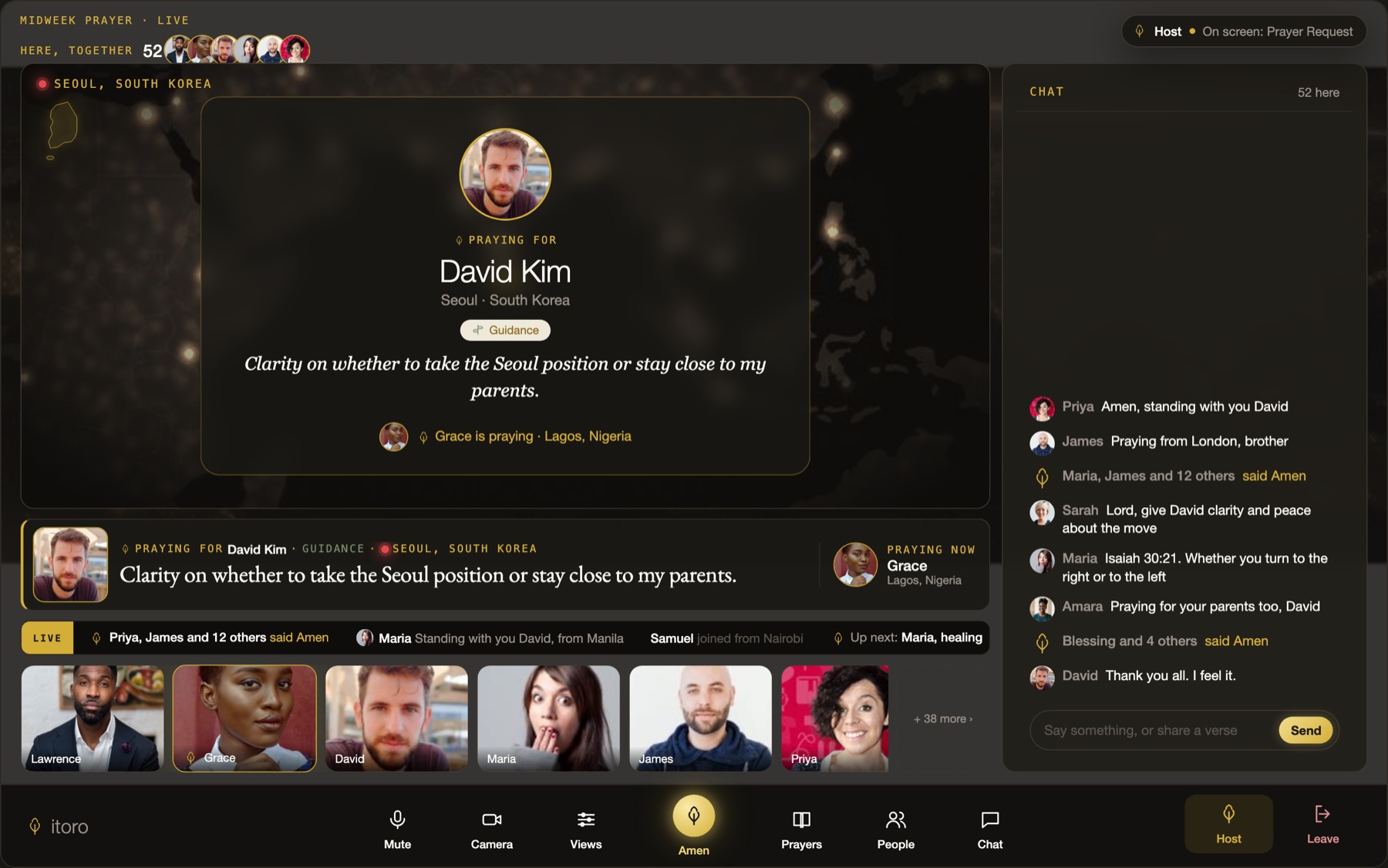
Full-screen prayer request on desktop: a globe turned to the person's city, their request on a centered card, faces in a strip beneath
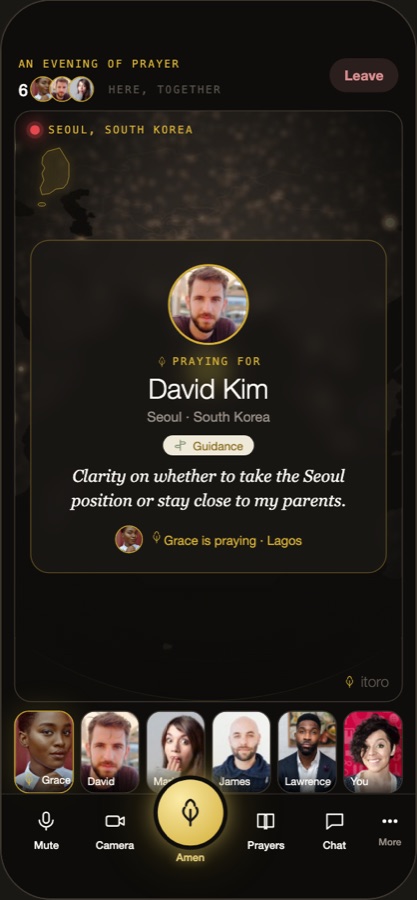
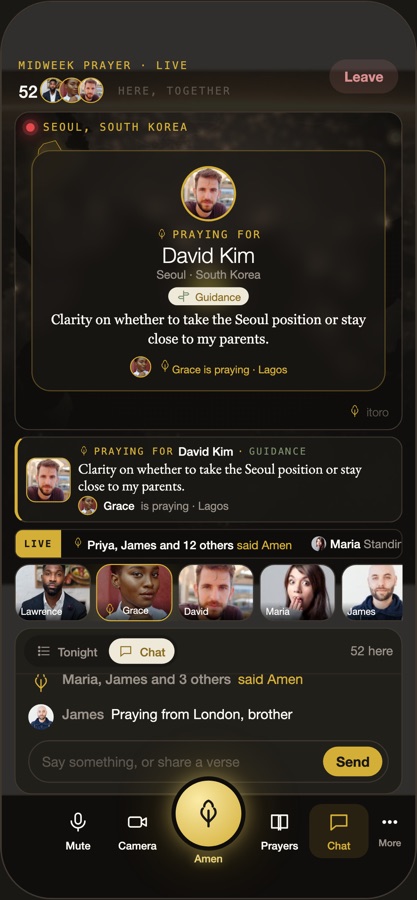
Full-screen prayer request on the phone with the globe, the card, and a strip of faces
Prayer Request, full screen for everyone. The globe turns to the person's city with a gold pin, their country glows in outline, and the card carries their face, their place, their category and their request in their own words. The same card on the phone. Faces become a strip under the view; the bar stays.
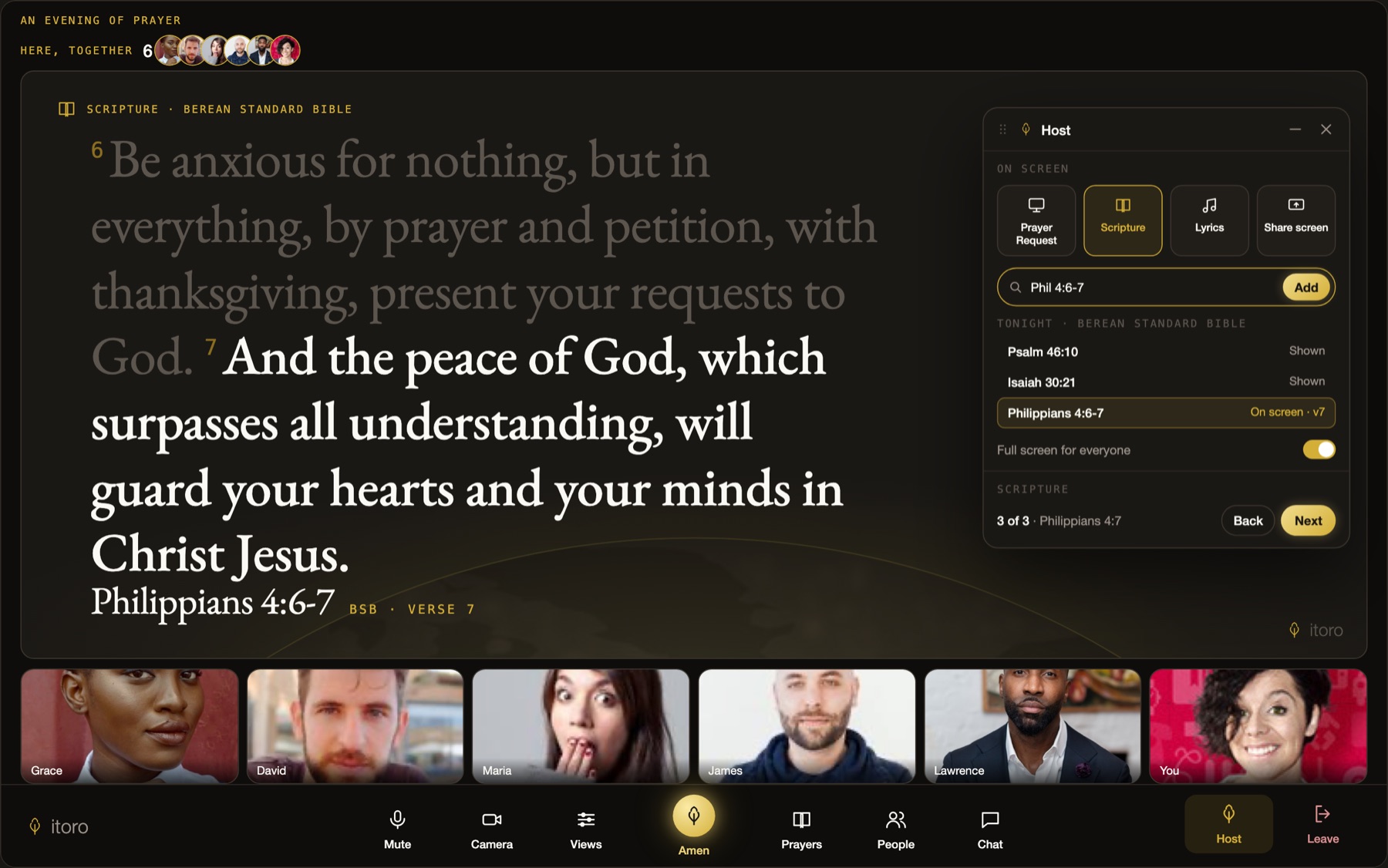
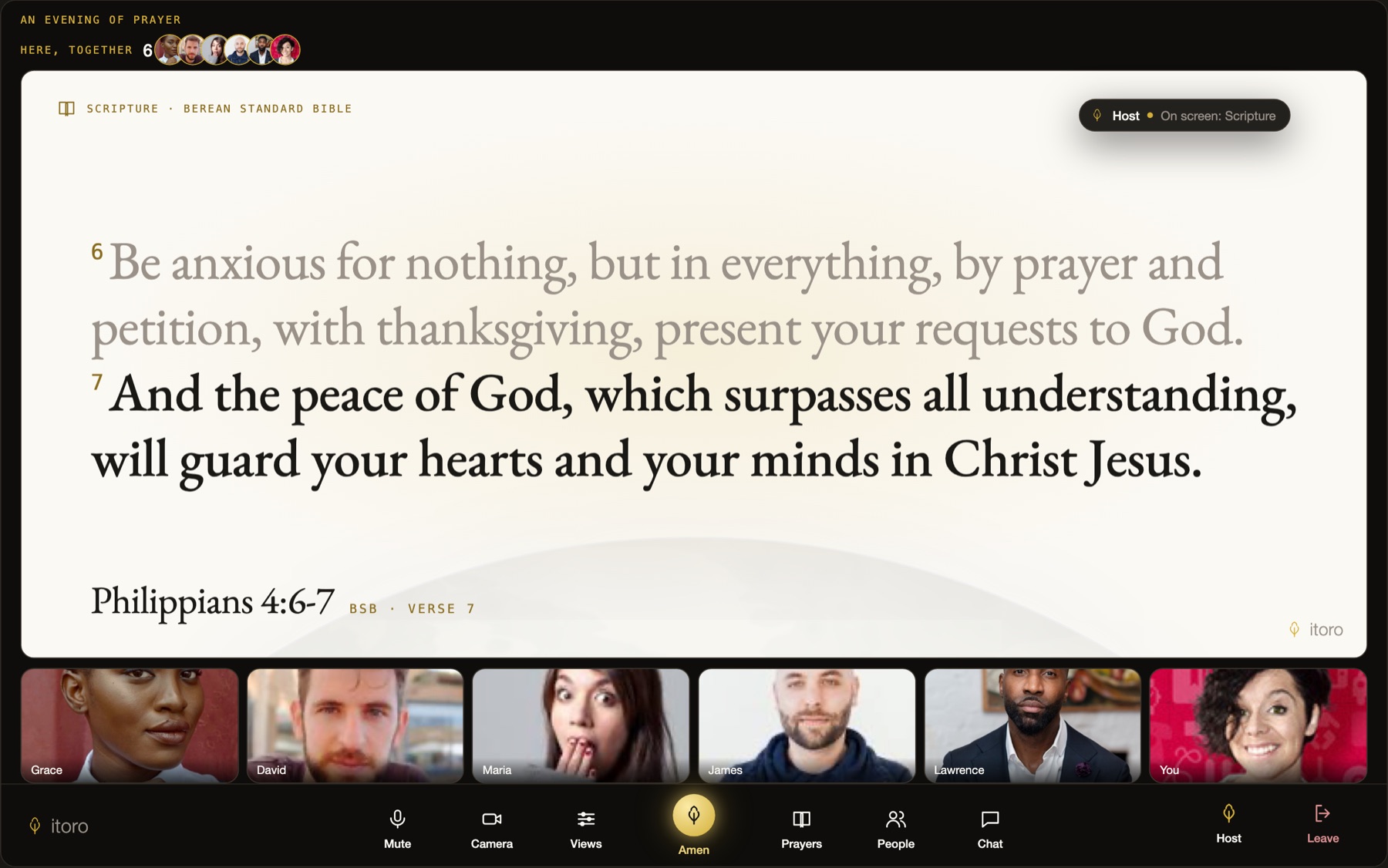
Scripture on the ink theme: a passage in EB Garamond on dark ground, the verse being read at full weight, the reference at the foot
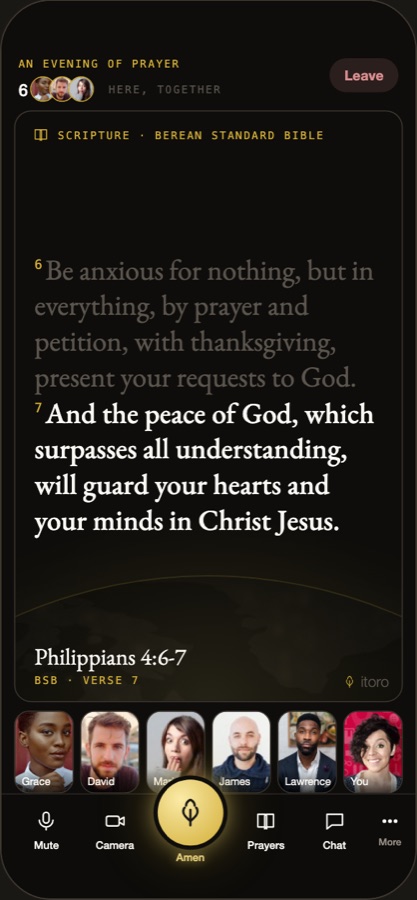
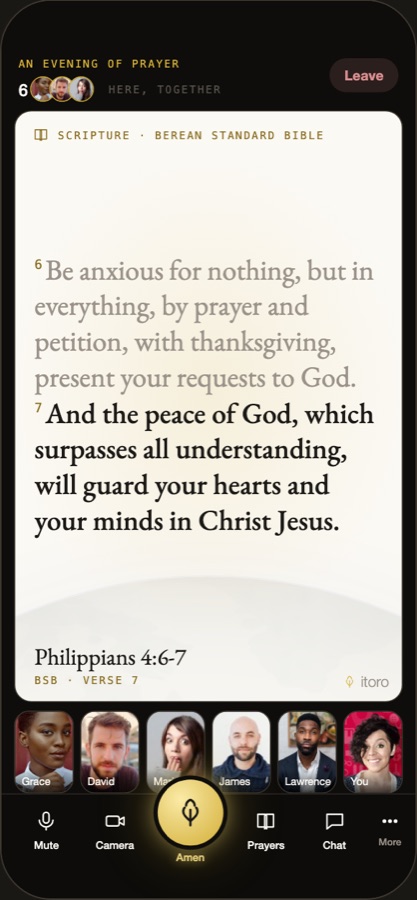
Scripture on the ink theme on the phone
Scripture on ink. The verse being read is full weight, the rest of the passage muted, verse numbers as small gold superscripts, the reference large at the foot. Berean Standard Bible, loaded once, no lookup cost. Scripture on ink on the phone, the same structure at phone sizes.
Scripture on the paper theme: the passage on a warm white ground
Scripture on the paper theme on the phone
Scripture on paper. The host picks ink or paper once for the night, the way a Sunday screen has one look. Paper on the phone.
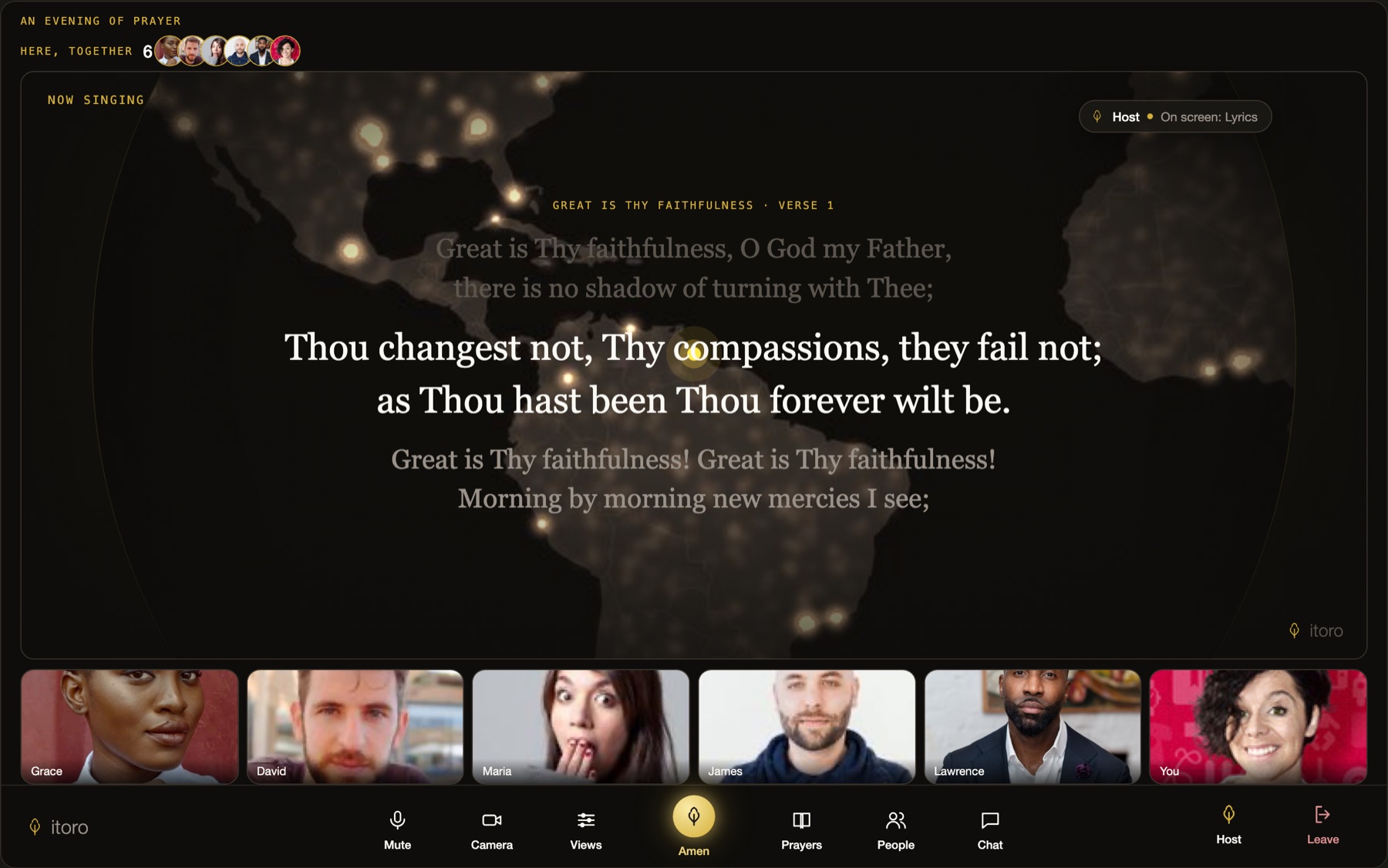
Lyrics full screen on desktop: the current line large, the previous line faded, the next line muted
Scripture on ink on the phone, shown in place of a lyrics frame
Lyrics. The current line large, the previous faded, the next muted, the title and verse label above. The host steps lines with Next. Lyrics use the same full-screen frame as scripture on the phone. There is no phone lyrics mockup yet, so this shows scripture on ink.Nearest phone frame: scripture, ink
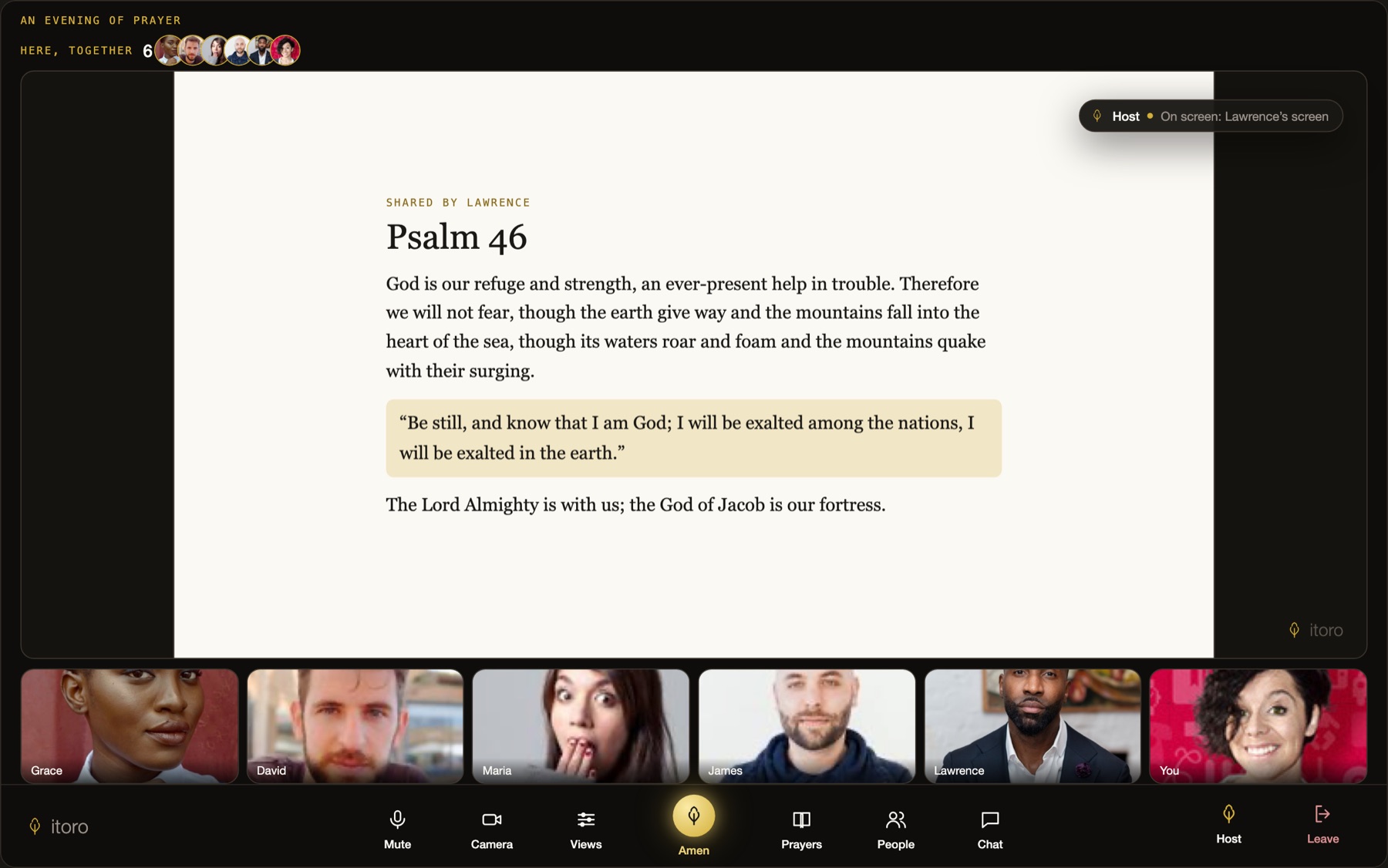
Share screen on desktop: the shared window centered on paper with the room dark around it and the faces in a strip
Phone More sheet, where Share screen lives for a host on the phone
Share screen. The shared window sits centered on paper, the room stays dark around it, the faces keep their strip. Sharing a screen is a desktop act. On the phone a host reaches it under More, so this shows the More sheet.Nearest phone frame: the More sheet
04Broadcast

For the whole church.

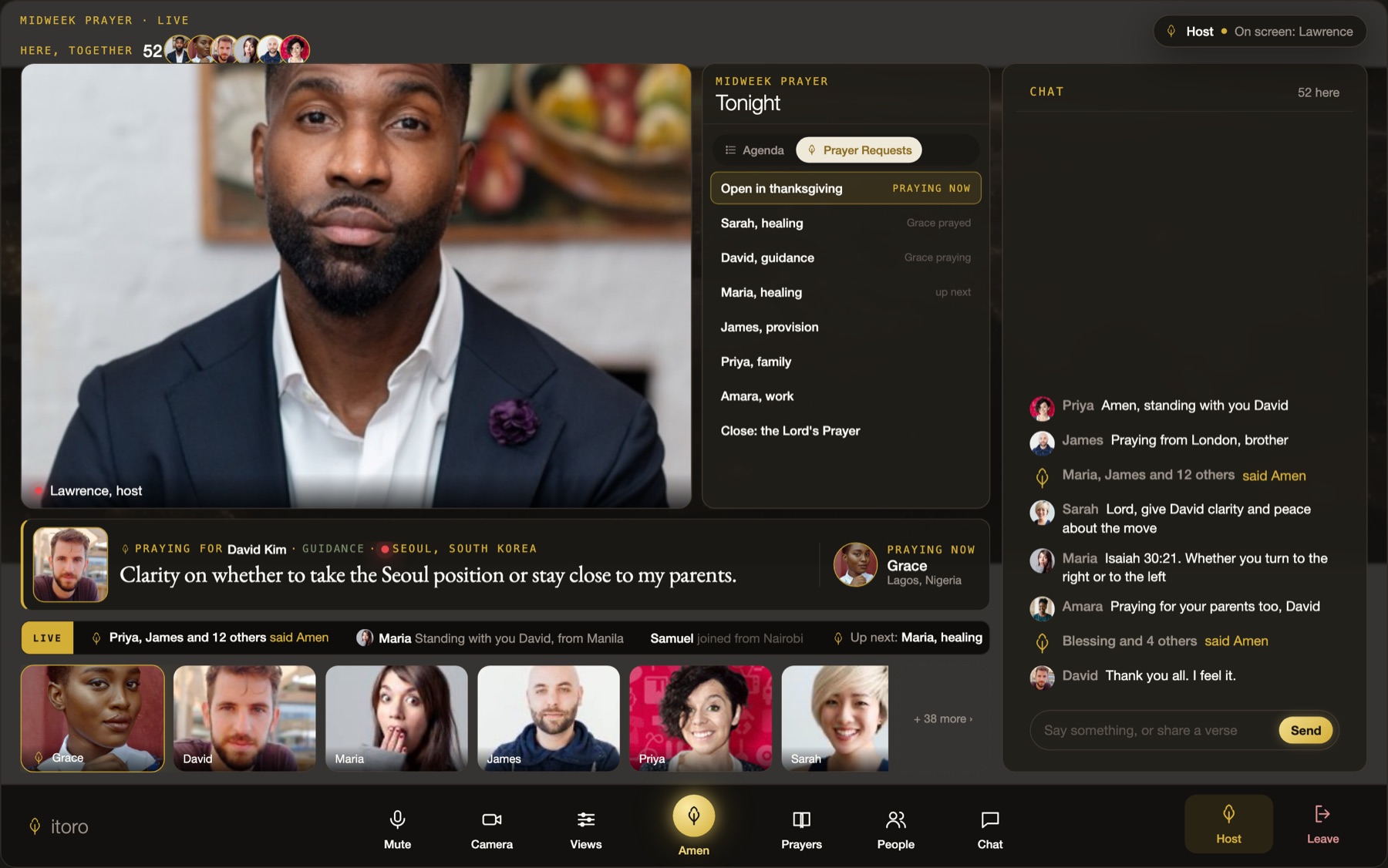
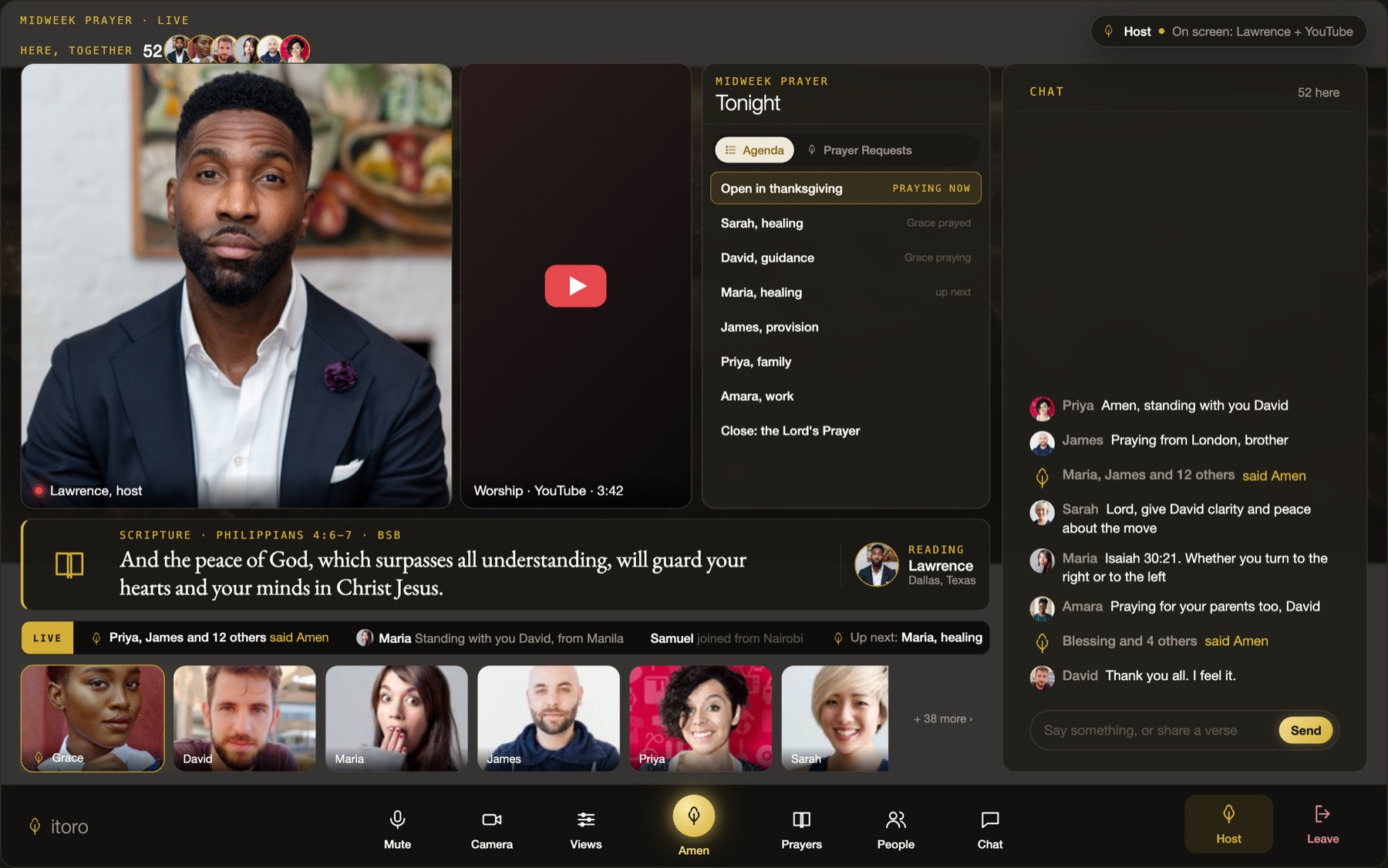
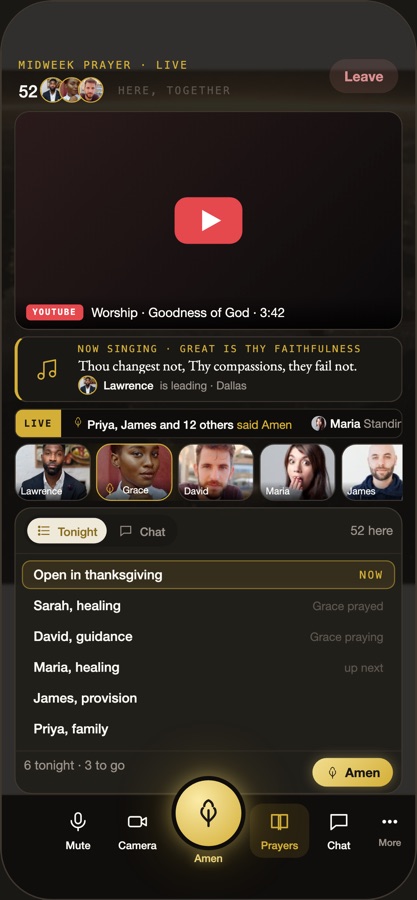
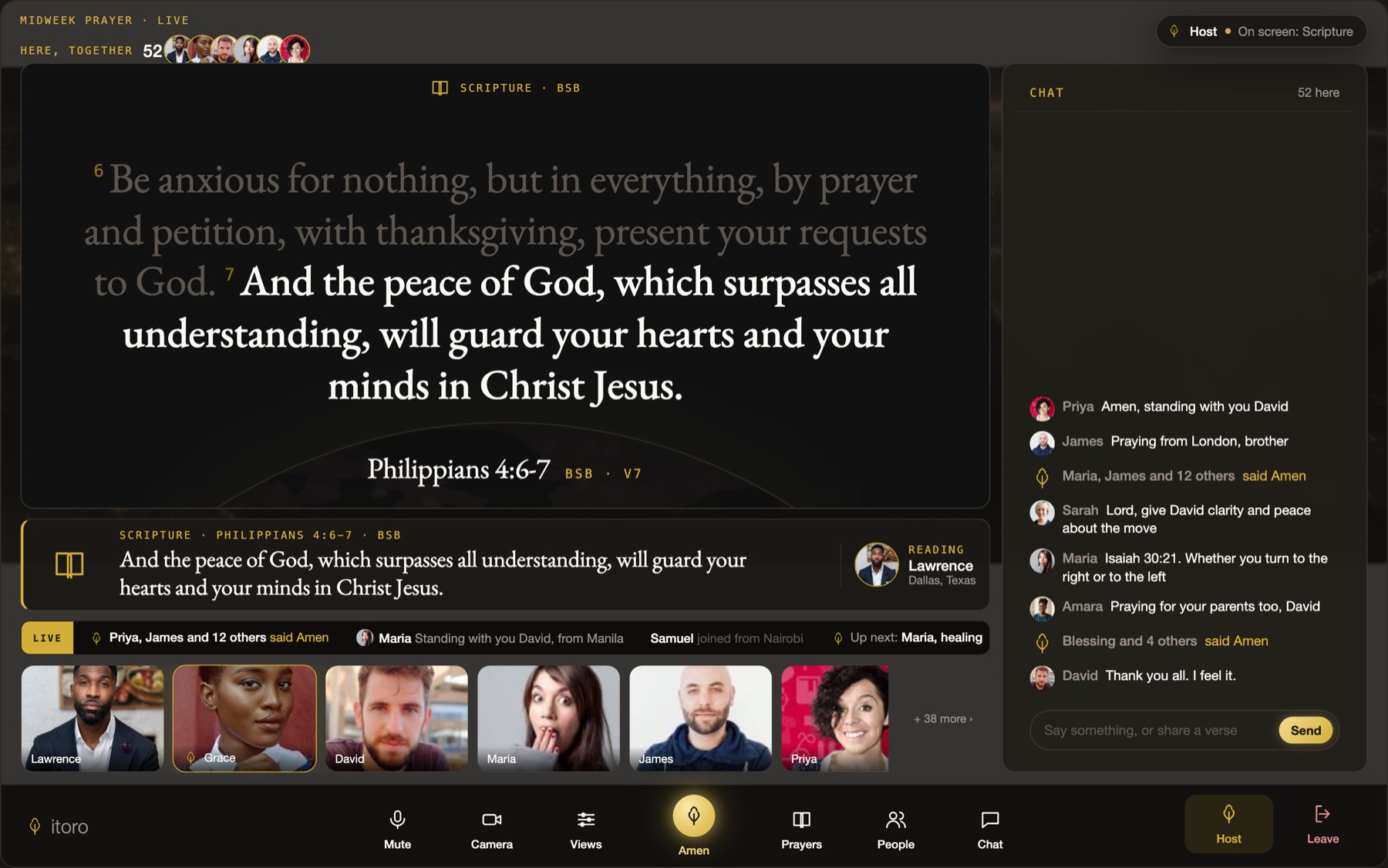
One leading many. The host holds the main screen, with a second screen beside it for the person praying, a scripture, lyrics, or a worship video. Tonight's list sits beside the stage, the prayer request runs as a lower third, a live ticker carries the amens, and every face in the room scrolls in a strip beneath. Chat stays open on the right.
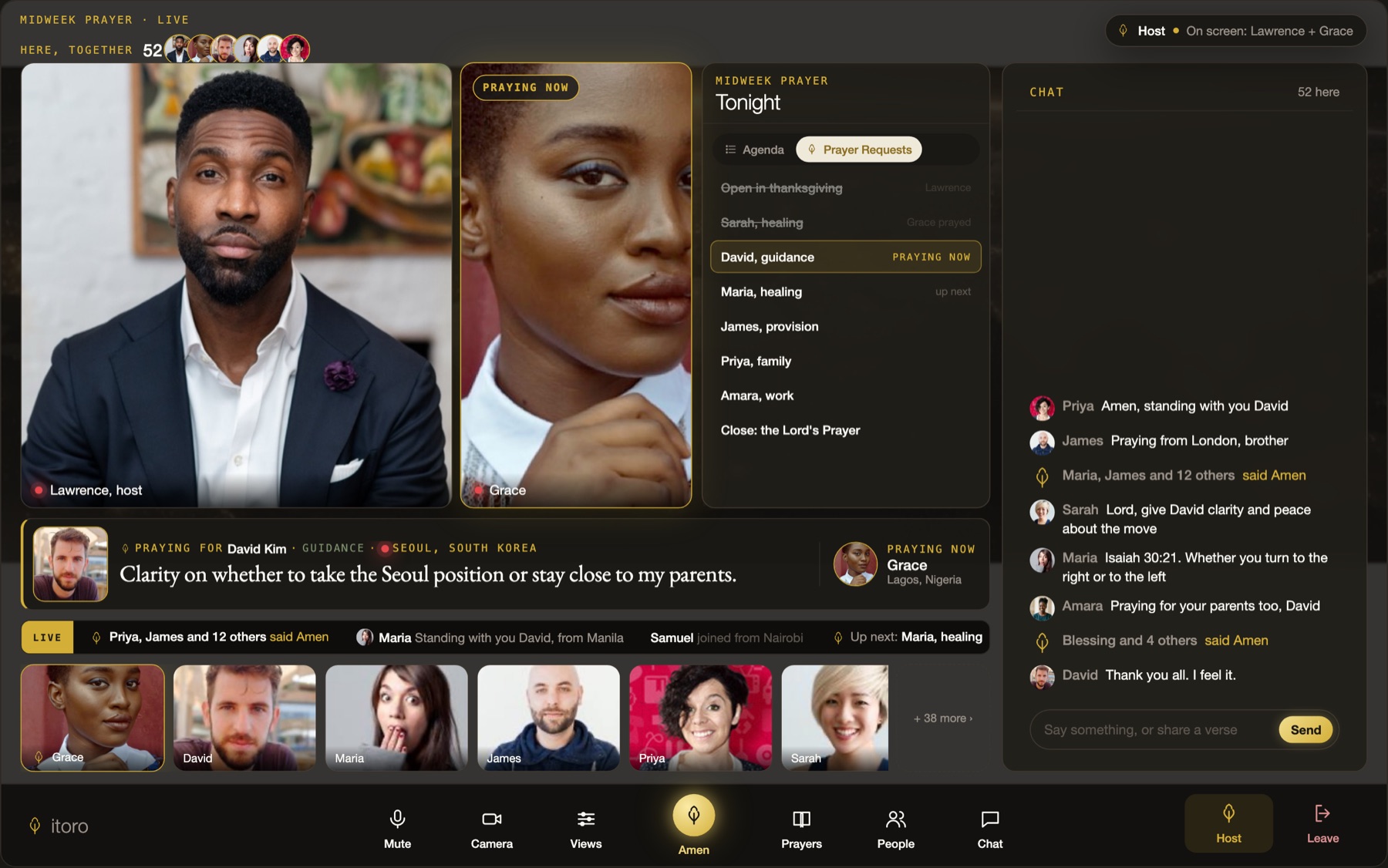
Broadcast room on desktop: host on the main screen, the person praying on a second screen, Tonight's list beside them, the headline card, the live ticker, the strip of faces, and the chat
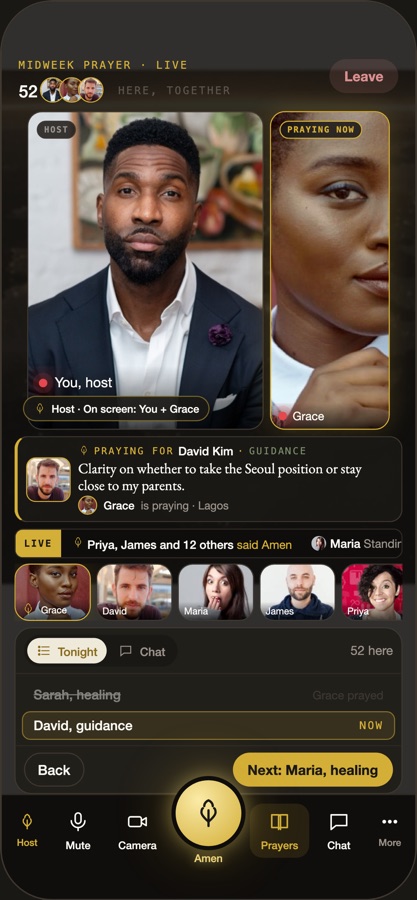
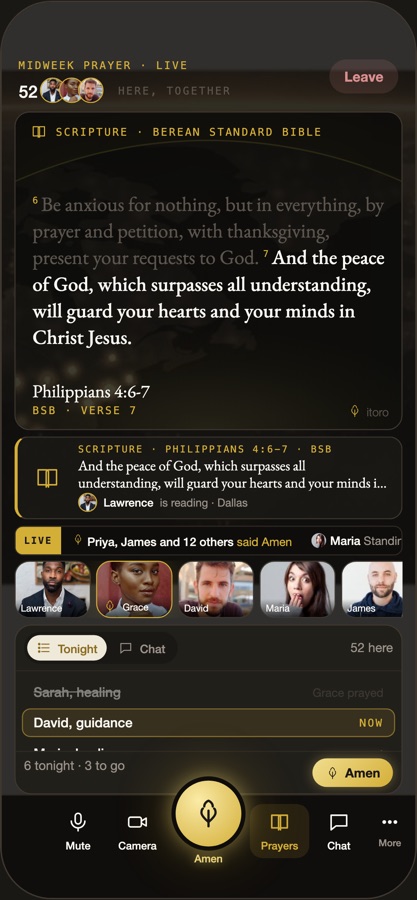
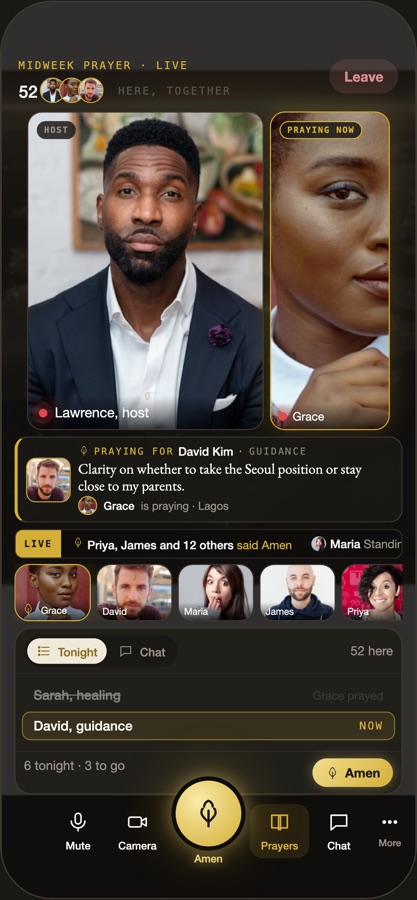
Broadcast on the phone: the host two thirds of the stage, the person praying one third, the lower third, the live line, the strip of faces, and Tonight beneath
Midweek prayer, 52 here. Lawrence on the main screen, Grace praying on the second, Tonight beside them. The headline card reads "Praying for David Kim", the ticker folds twelve amens into one line, and 38 more faces wait at the right of the strip. The same room held in one hand. The stage runs tall: Lawrence two thirds, Grace praying one third, both full height. Under it the lower third, the Live line, the strip of 52, and Tonight or Chat, with Amen at the centre of the bar.
Broadcast with the host alone on the main screen
Broadcast on the phone from the host's side: You on the stage with the Host pill, Back and Next under Tonight, Host at the edge of the bar
Host alone. The main screen is one face, Tonight stays beside it, everything below holds its place. The host's phone. You on the stage, a Host pill saying what the room sees, Back and Next at the foot of Tonight, and Host at the left edge of the bar so Amen stays centred.
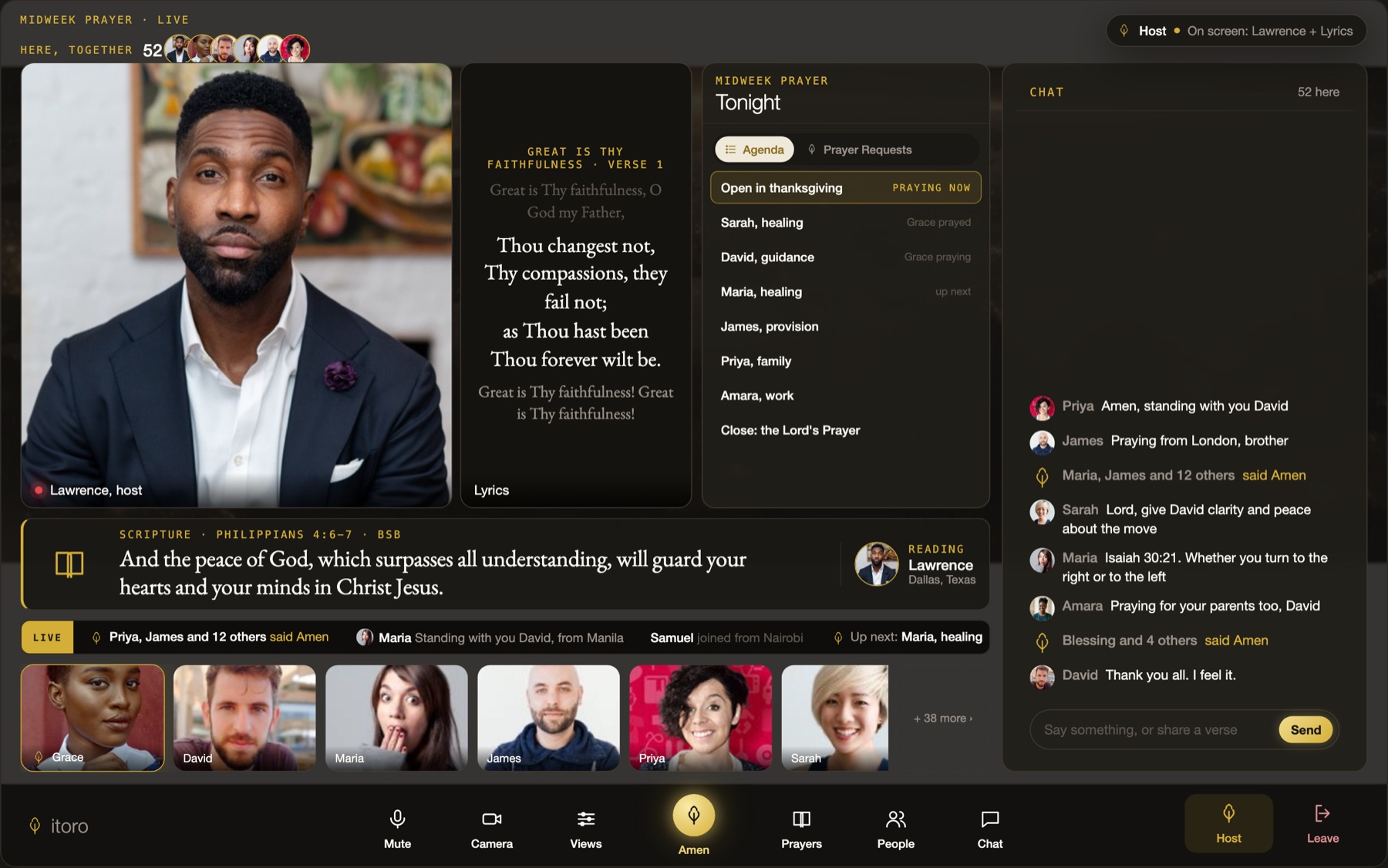
Broadcast with the host on the main screen and lyrics on the second screen
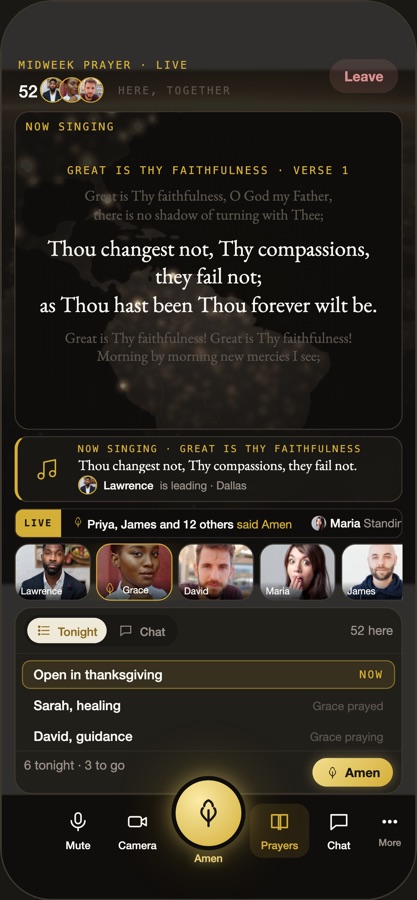
Lyrics across the whole stage on the phone, the host in the strip
Host plus a second screen at 65/35, here carrying the lyrics, so the room can sing while the host leads. Words take the whole stage on a phone: the lyrics large and centred, the host in the strip, the lower third saying who is leading.
Broadcast with a YouTube worship video on the second screen
A YouTube worship video in a wide frame across the top of the phone, the host in the strip, Tonight beneath
A worship video on the second screen, audio shared through the room, the host still in view. The video keeps its shape: a wide frame across the stage, the host in the strip, Tonight gaining the room below.
Broadcast with the prayer request card taking the full width of the stage
The prayer request card across the whole stage on the phone, the lower third repeating it, Chat beneath
Full screen means the whole open screen. With the host stepped off, the prayer card takes the full width of the stage at its largest; the headline, ticker, strip and chat stay. The card takes the stage; the lower third repeats the request so it reads at a glance; the host steps into the strip.
Broadcast with scripture taking the full width of the stage
Scripture across the whole stage on the phone in the ink look, the lower third carrying the reference
Scripture across the whole stage, the headline card showing the reference and who is reading. Scripture across the stage in the ink look, the lower third now the reference and who is reading.
What the host can do

Lead the room without leaving it.

Hosts and co-hosts see one extra item on the bar. Everyone else sees the same room, with the same Amen.

  • Put something on screenA prayer request, a scripture, lyrics, or a shared window, for you alone or full screen for everyone.
  • Step through the prayersBack and Next move the queue; the globe turns to the next person's city.
  • Build tonight's listAn agenda or a scripture list, written before the room opens or added inside it.
  • Spotlight and mute allBring one face forward, quiet the room, invite more, or record.
  • Add a hostPromote a participant to co-host for the night; they get the same palette.
  • BroadcastMain screen, second screen, or full screen; step off screen and the asset takes the stage.
Where it works iPhone the iToro app Android the iToro app Desktop any modern browser, no install